
Weebly Embed Instructions
This guide shows how to place your Embed360 shop onto your Weebly website.
Step 1 — Add the supporting embed code to your website
-
Click on the Edit button from the weebly dashboard to edit your weebly website.
-
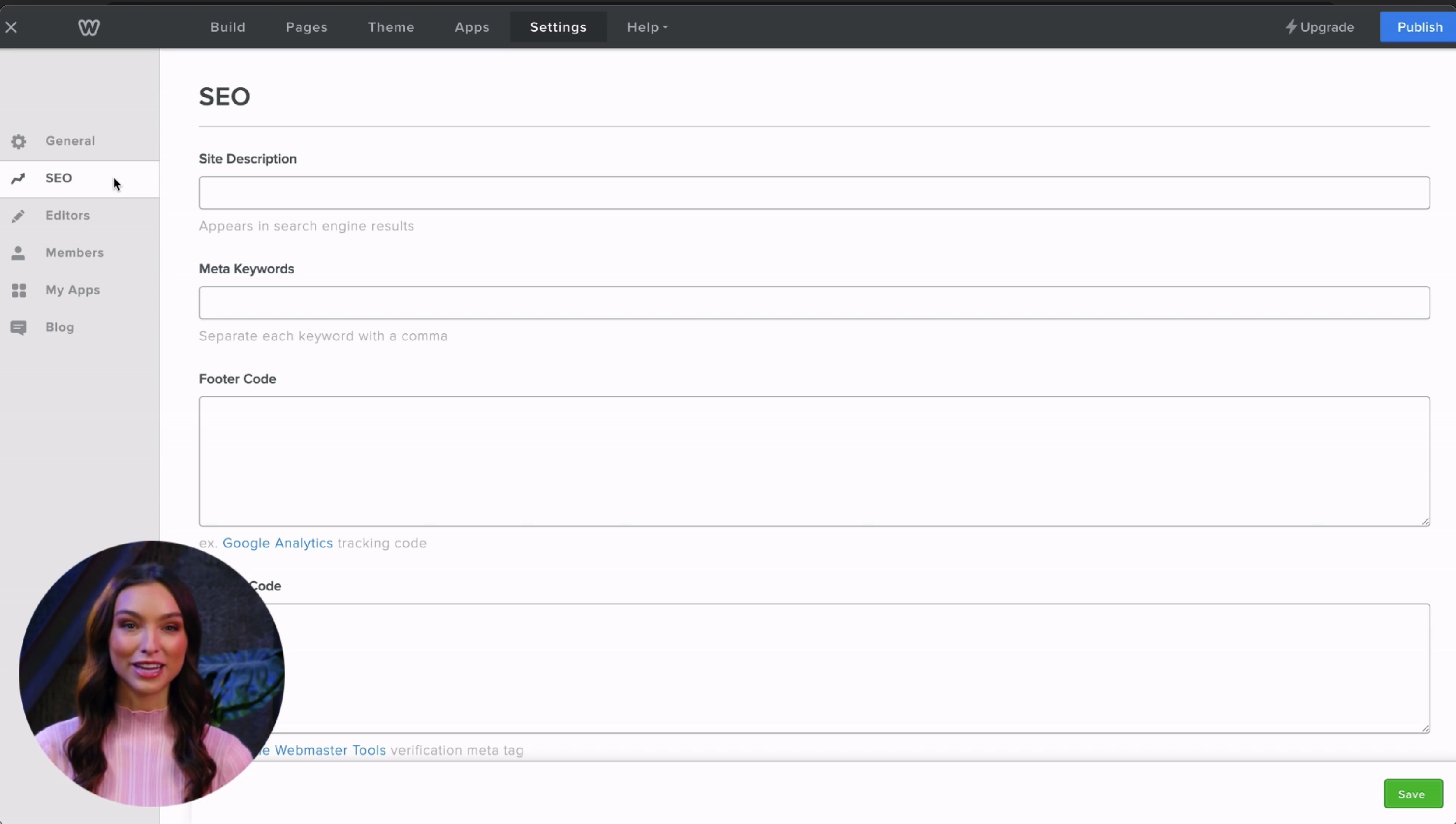
Click on the Settings button from the top navigation, then click on SEO in the left column
-
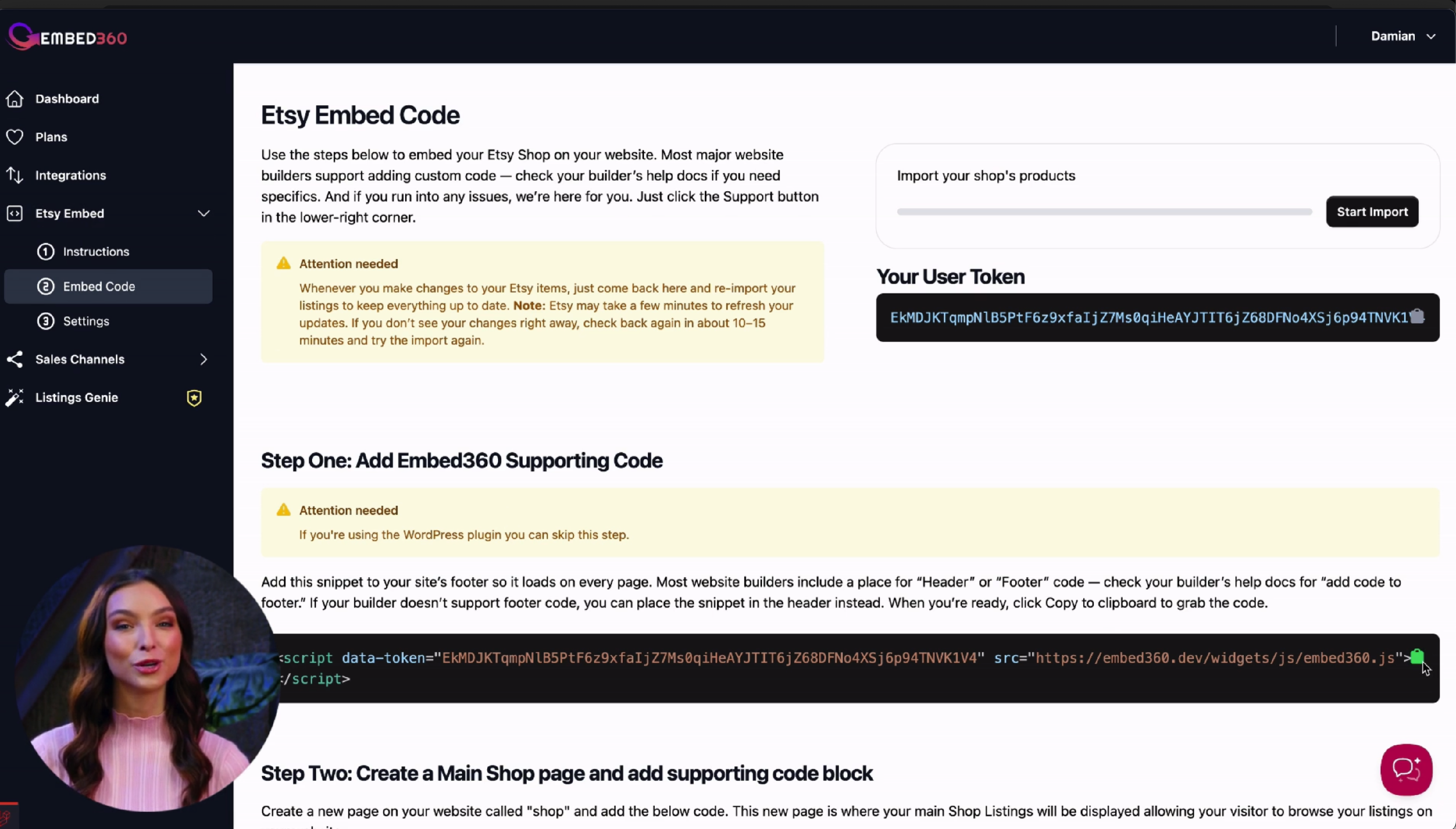
Next, navigate back to your Embed360 embed code dashboard and copy the supporting code to your clipboard.
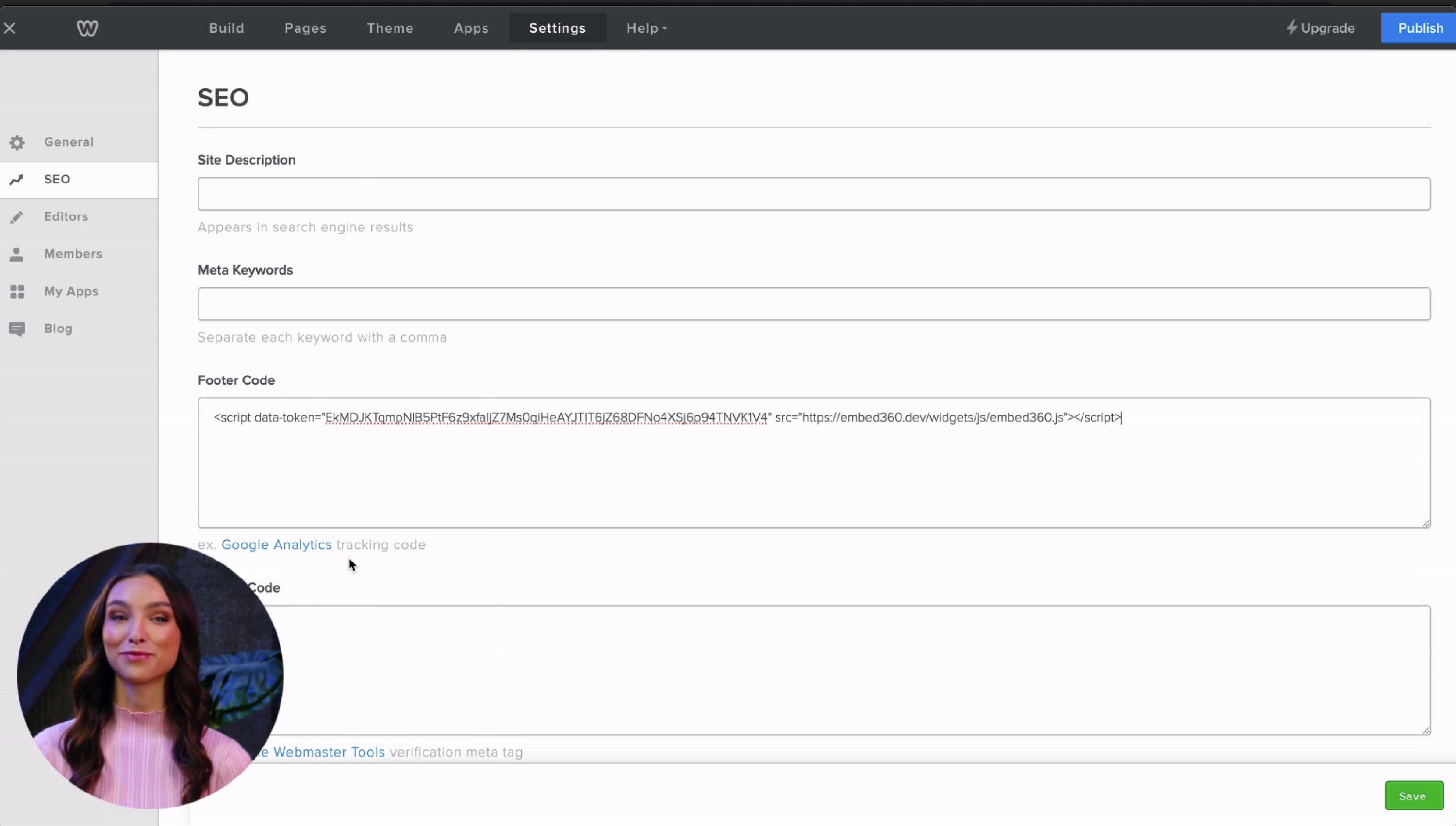
- Go back to your website and paste the copied code to the footer code section and click save and publish.
- Step 1 completed.
Step 2 — Add your main listings page


-
Click on Pages from the top navigation, then click on standard page.
Give your new page a name. For this example, we are going to call our page Shop but feel free to call the page whatever you'd like.
-
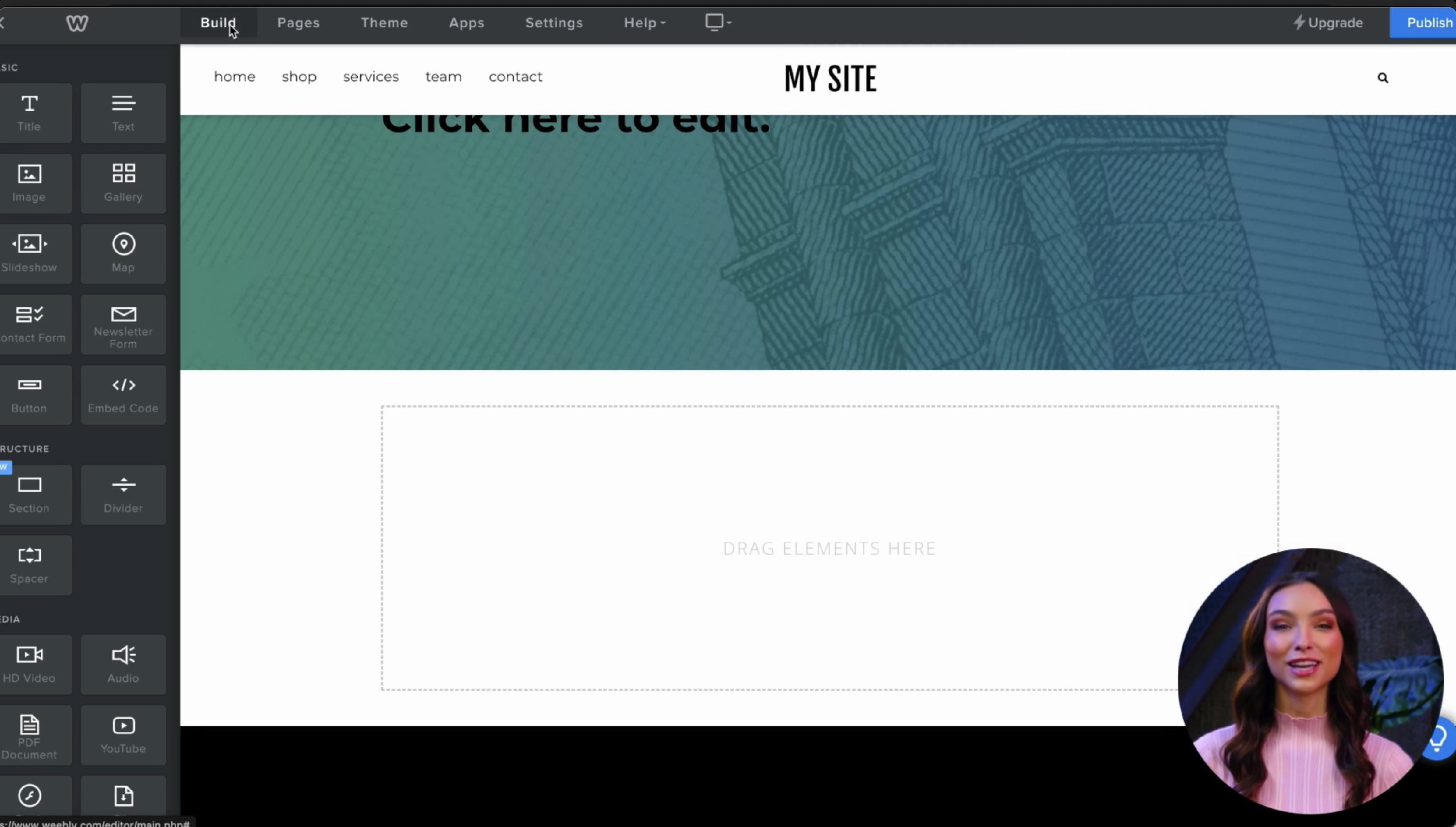
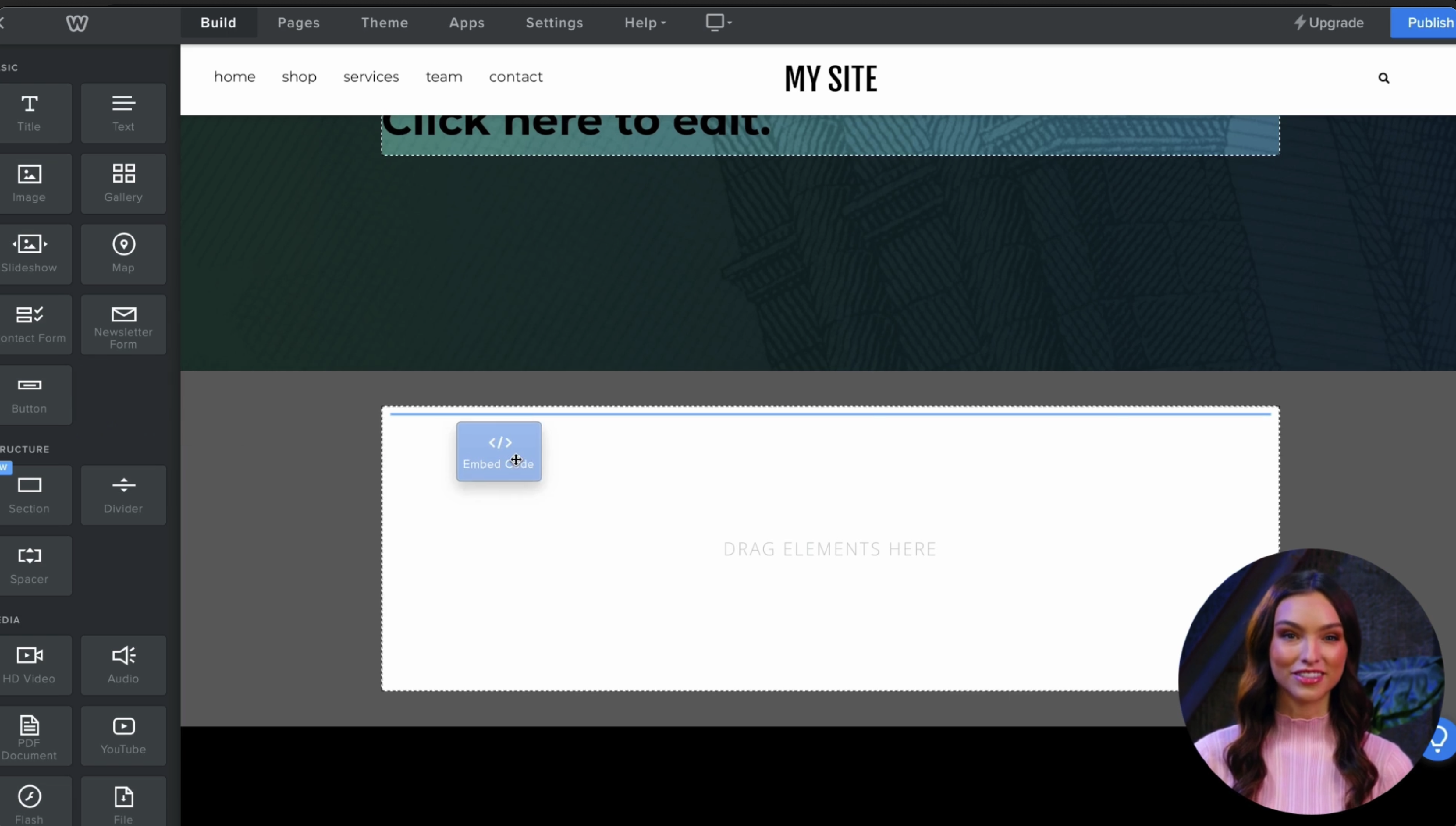
Click on Build from the top navigation.
-
Locate Embed Code Block in the left column and drag it into the elements section on the page.
-
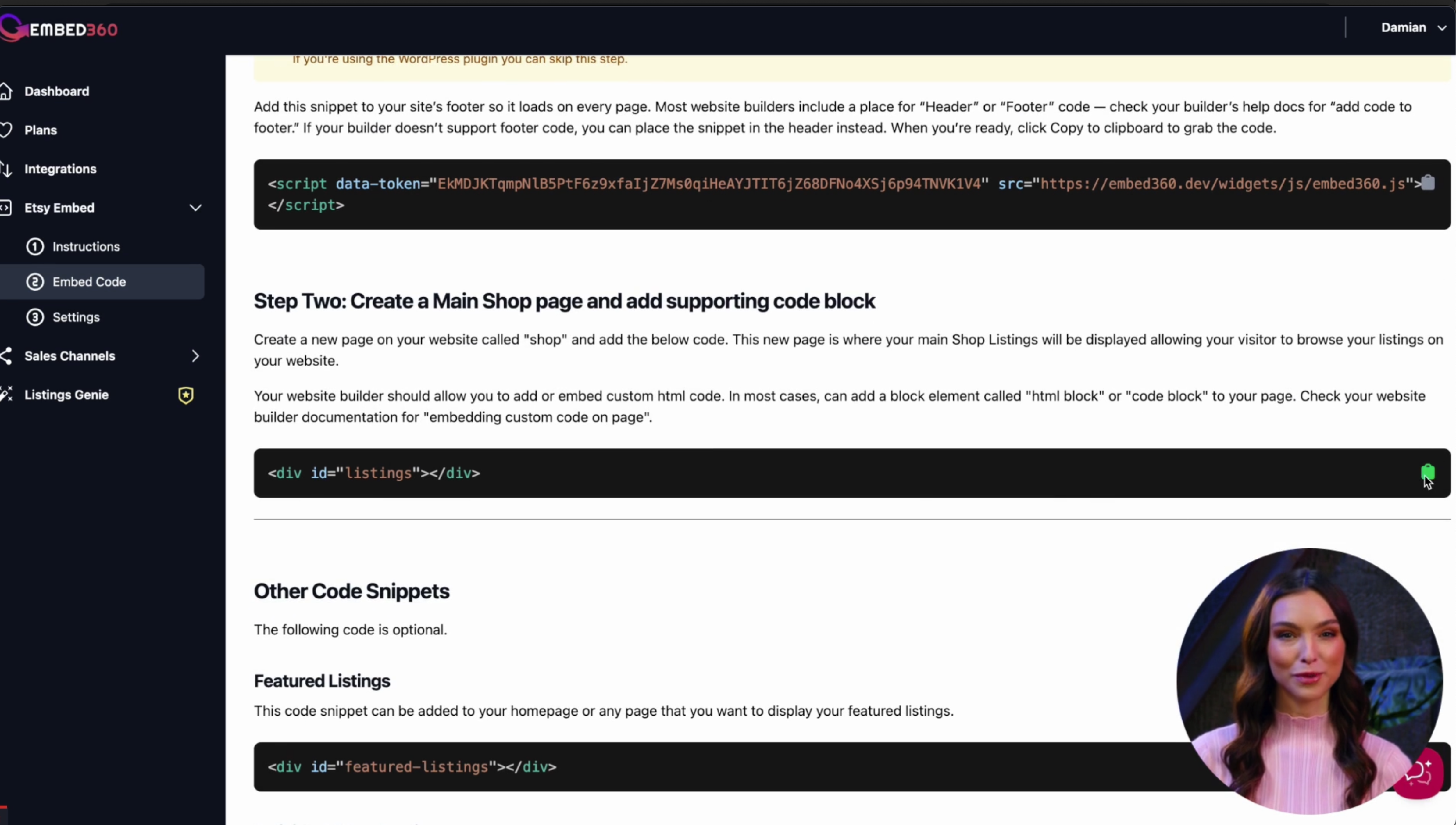
Navigate back to Embed360 and locate the Main Shop Page supporting code and copy the code to your clipboard.
-
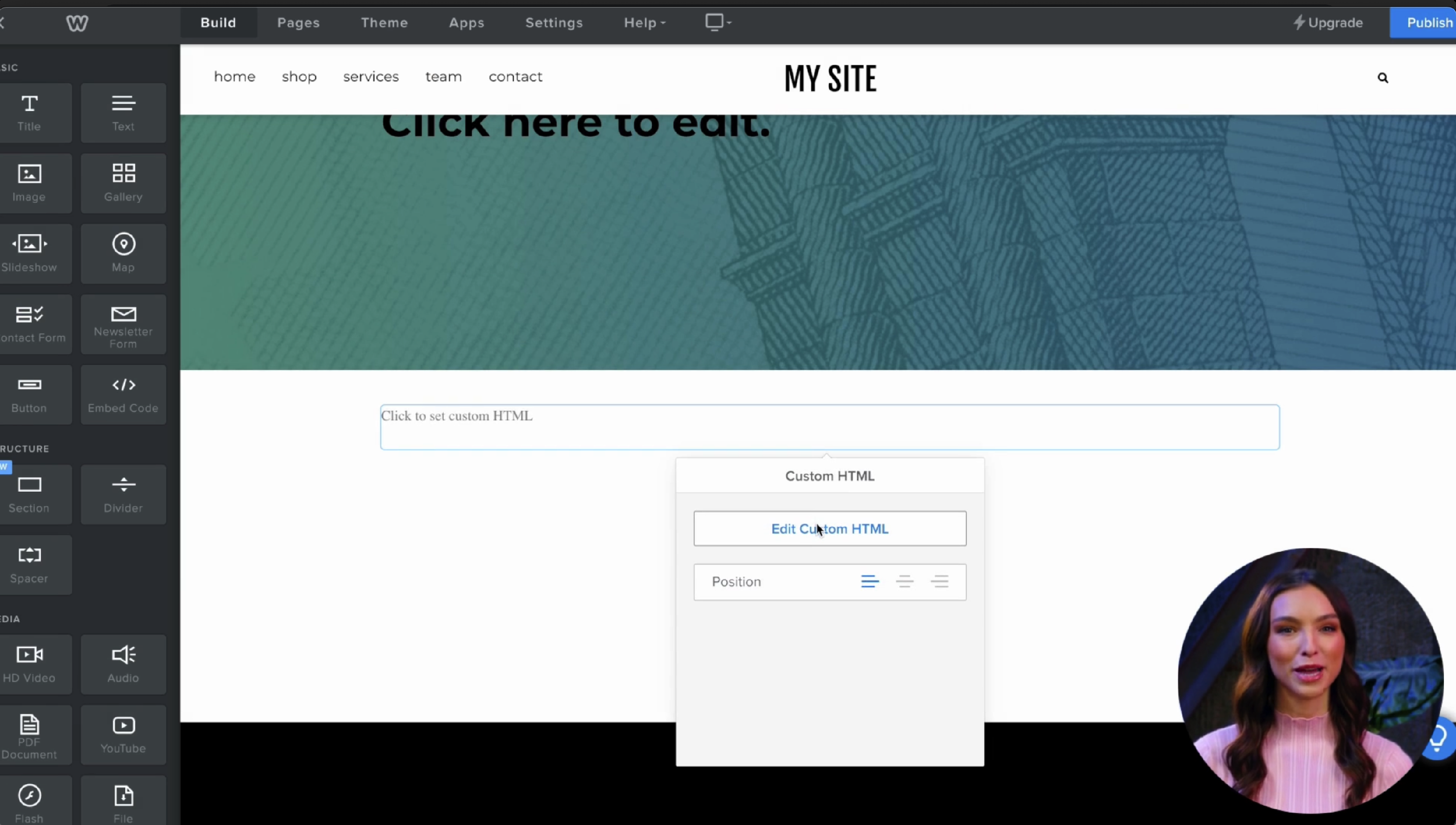
Navigate back to your weebly website and paste the code to the embed code block.
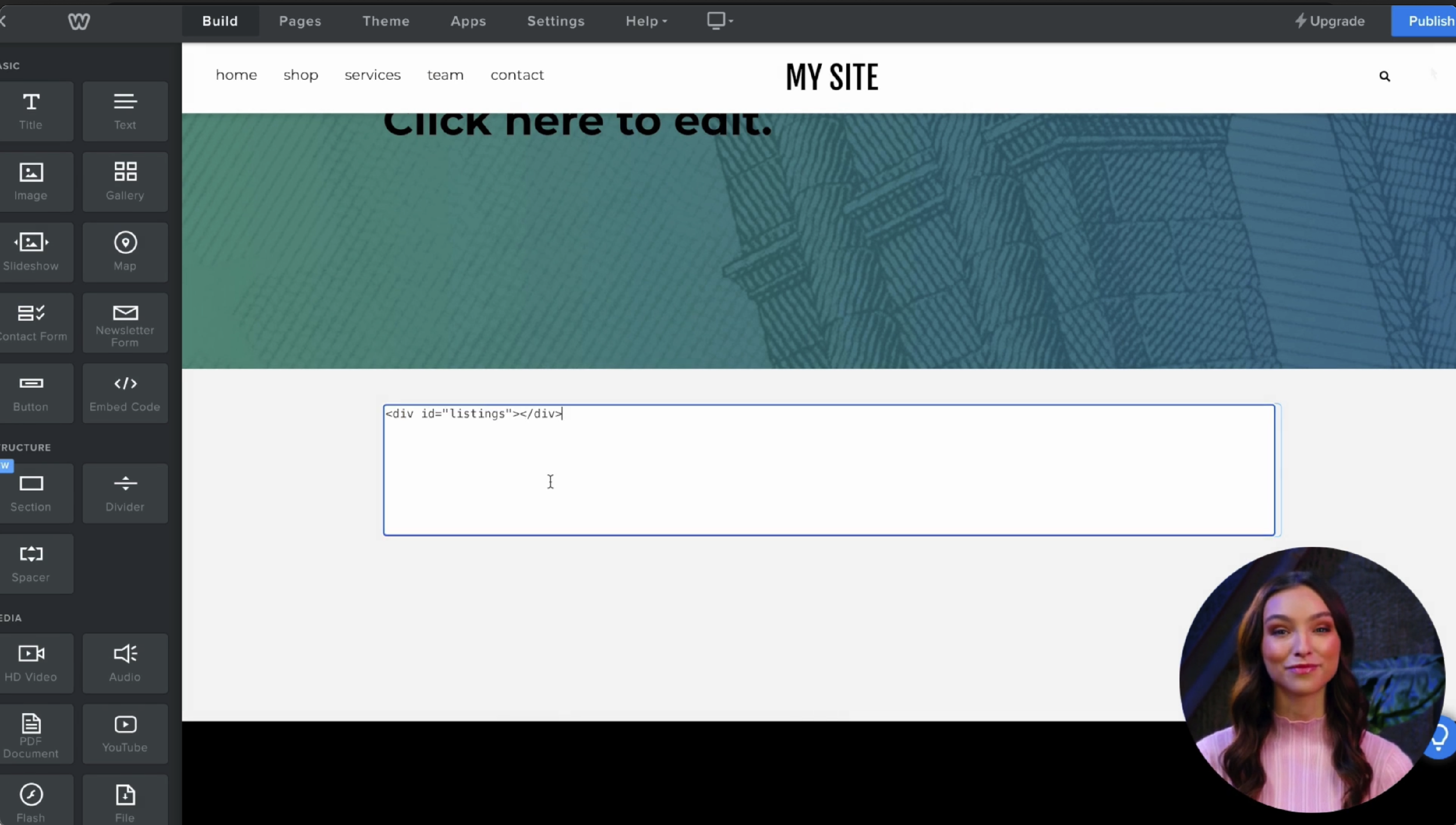
- Finally, click on Publish
Step 3 — Link Embed360 with your website
The next step is to tell Embed three sixty where your main shop page is located.

- We first want to copy your shops url to the clipboard.
-
Head back to embed three sixty and navigate to Etsy Embed settings.
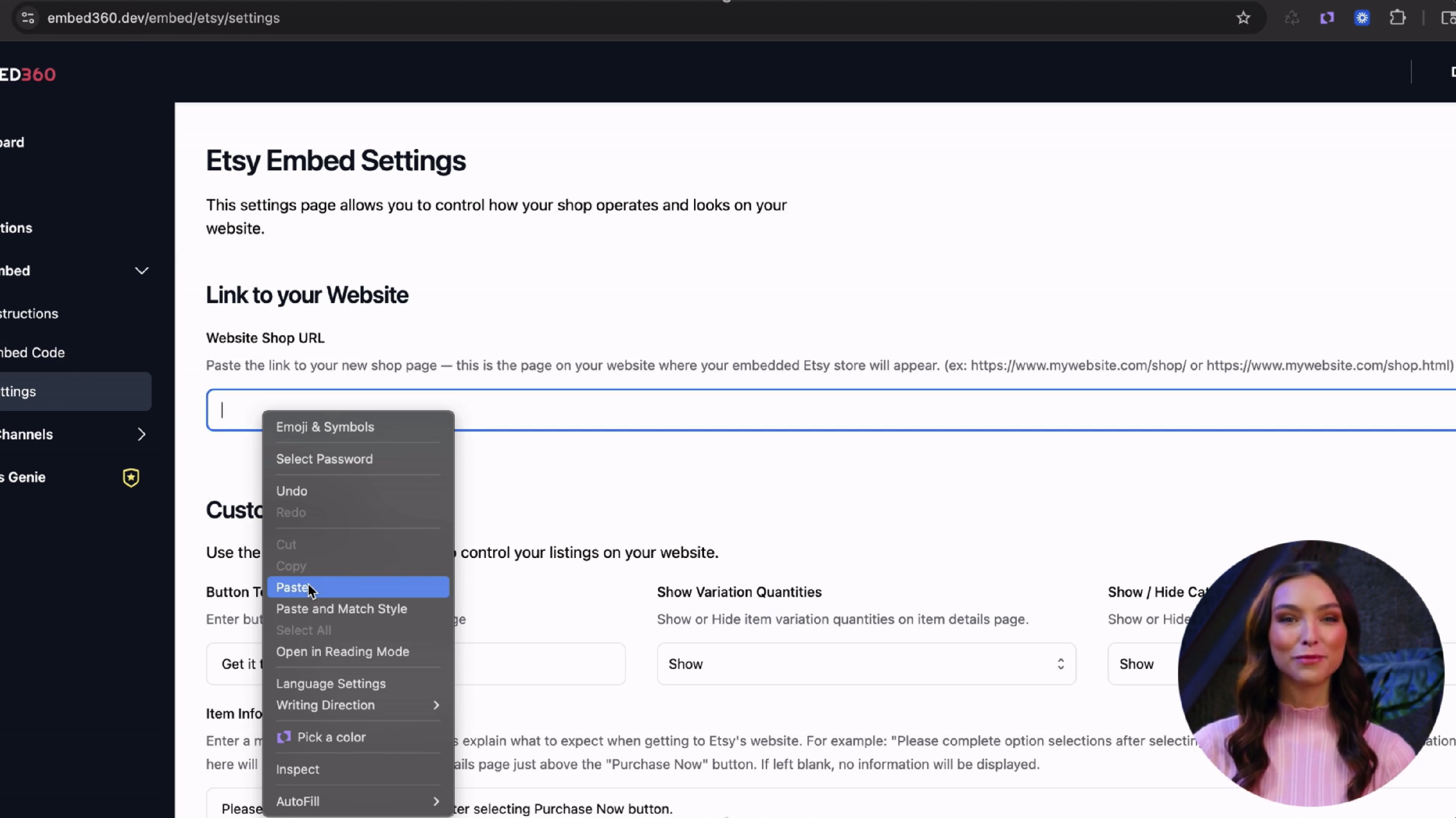
- In the first input box paste in your copied websites shop url and click save towards the bottom of the page.
- Navigate back to your website and reload your website and you should see your listings appear.
- Congratulations! You've completed embedding your shop on your website!
