
Wordpress Embed Instructions
In this quick guide, you'll add your Embed360 shop to a WordPress page using a simple HTML snippet. Works with Gutenberg, Elementor, and the Classic Editor.
Before you begin
- An Embed360 account connected to your Etsy shop.
- Access to your WordPress site (Editor, Elementor, or Classic Editor).
Tip: If you made changes to your listings on Etsy, re-import in Embed360 after publishing to sync updates.
Step 1 — Install and Activate Embed360 Plugin
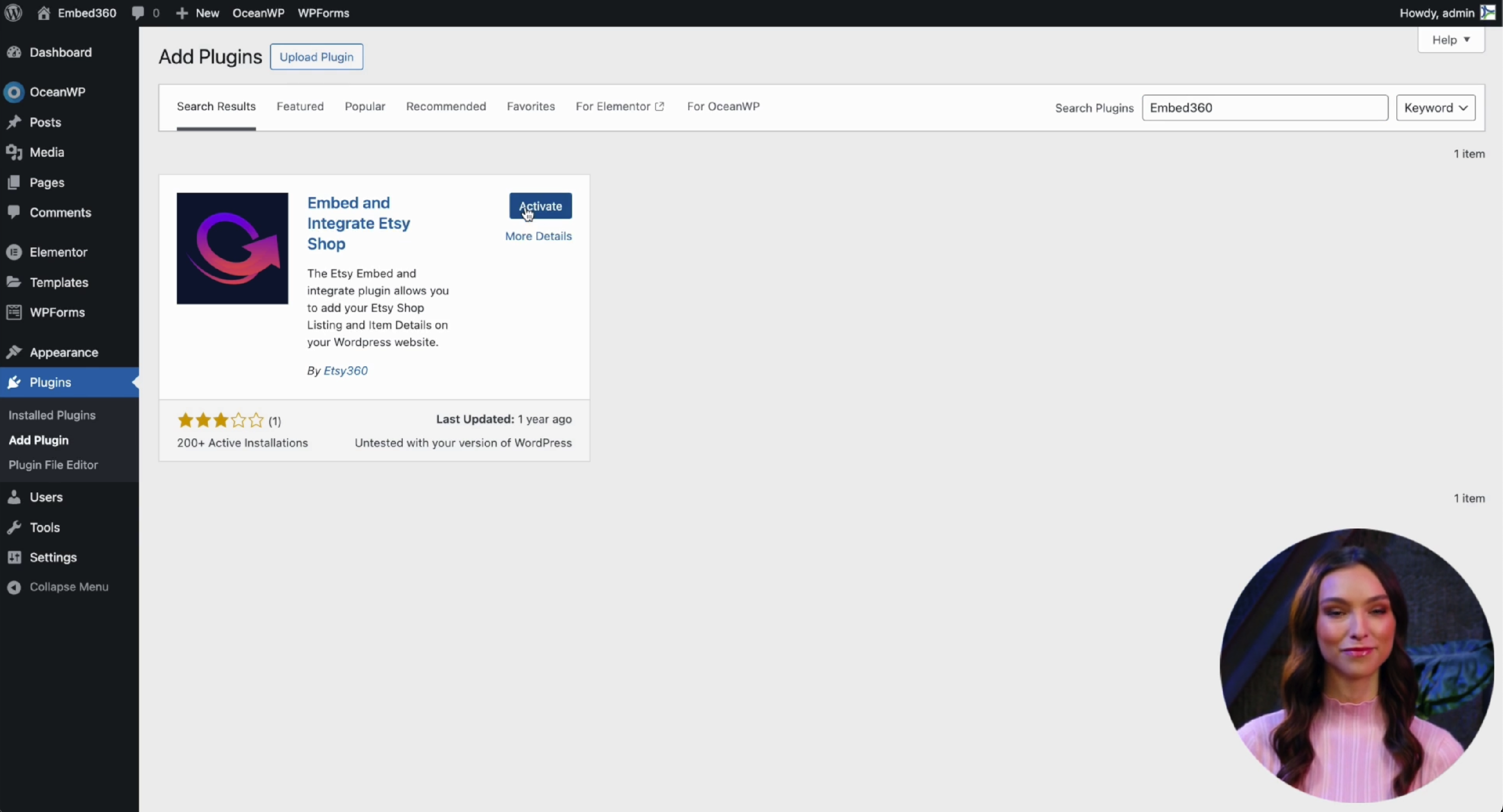
- From your Wordpress dashboard navigate to Plugins > Add Plugin.
- Search for Embed360
- Click Install and Activate
Step 2 — Copy your user token
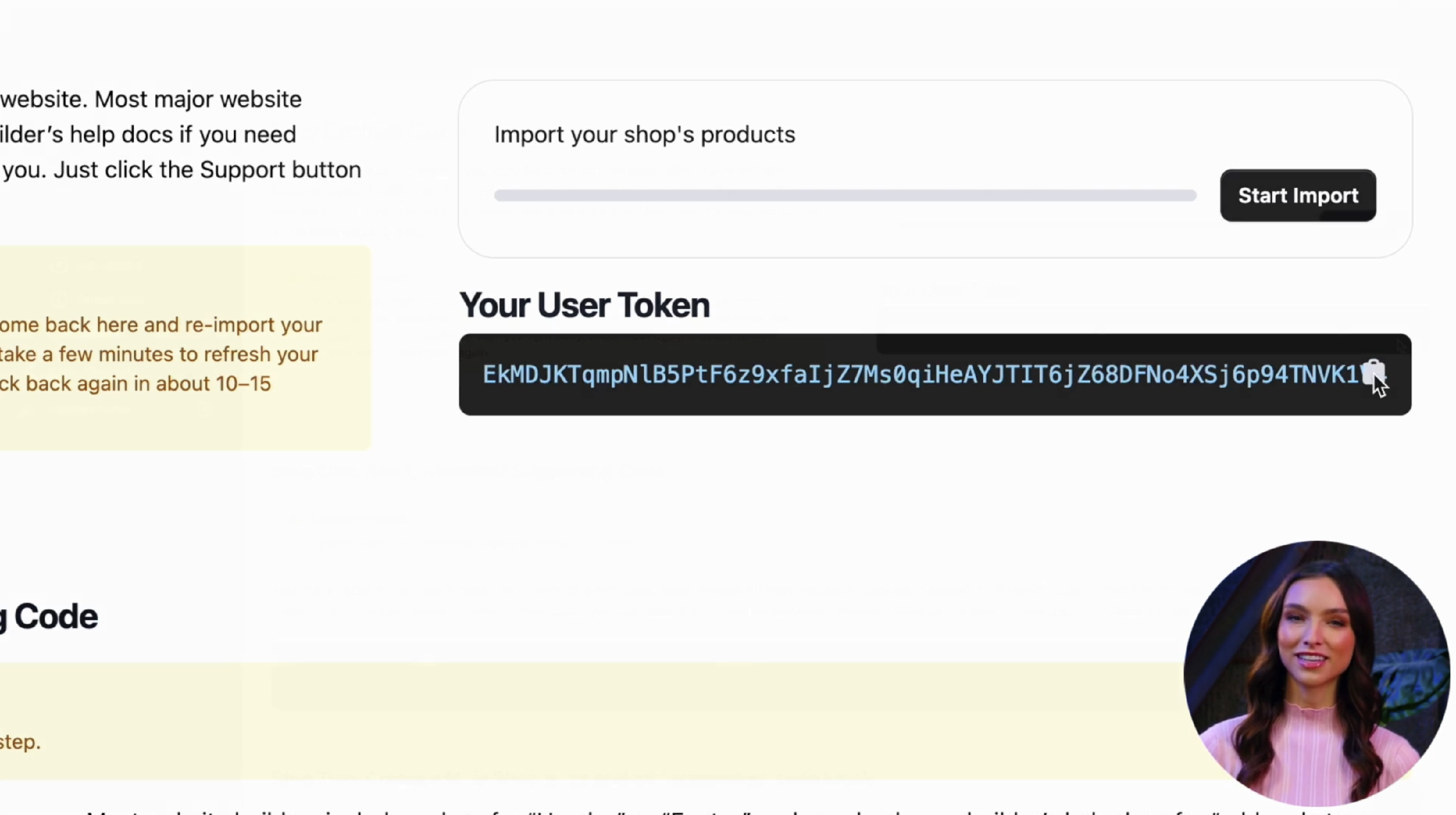
- Log in to your Embed360 dashboard.
- Navigate to Etsy Embed > Embed Code.
- Click Copy your User Token
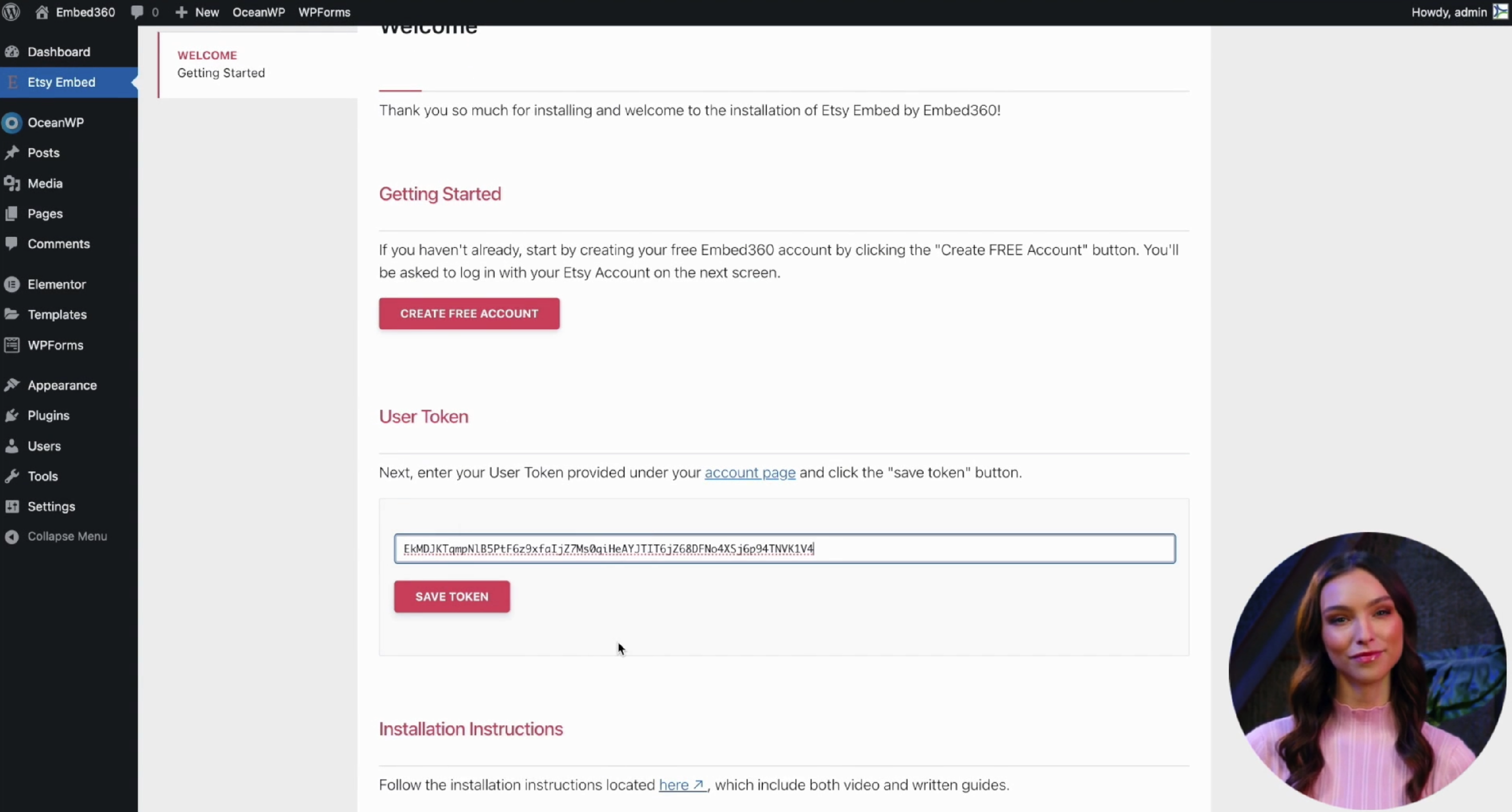
- Head back to your website navigate to Embed Etsy then paste your user token then click Save Token button
Note: Your embed code is unique to your shop. Avoid sharing it publicly.
Step 3 — Import listings into Embed360
- Log in to your Embed360 dashboard.
- Navigate to Etsy Embed > Embed Code.
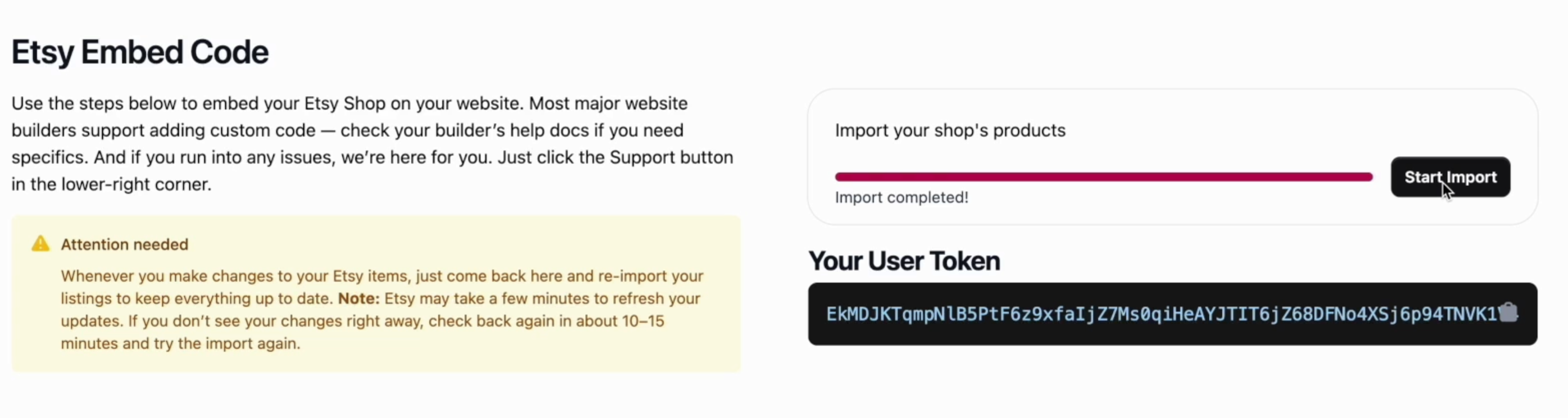
- Click the Start Import Button
- Wait for import to complete
- IMPORTANT: Please read the "Attention Needed" block.
Step 4 — Add the code to WordPress
Option A: Gutenberg (Block Editor)
- Create a new page called "shop". This can be called whatever you'd like.
- Click the + icon and add a Custom HTML block.
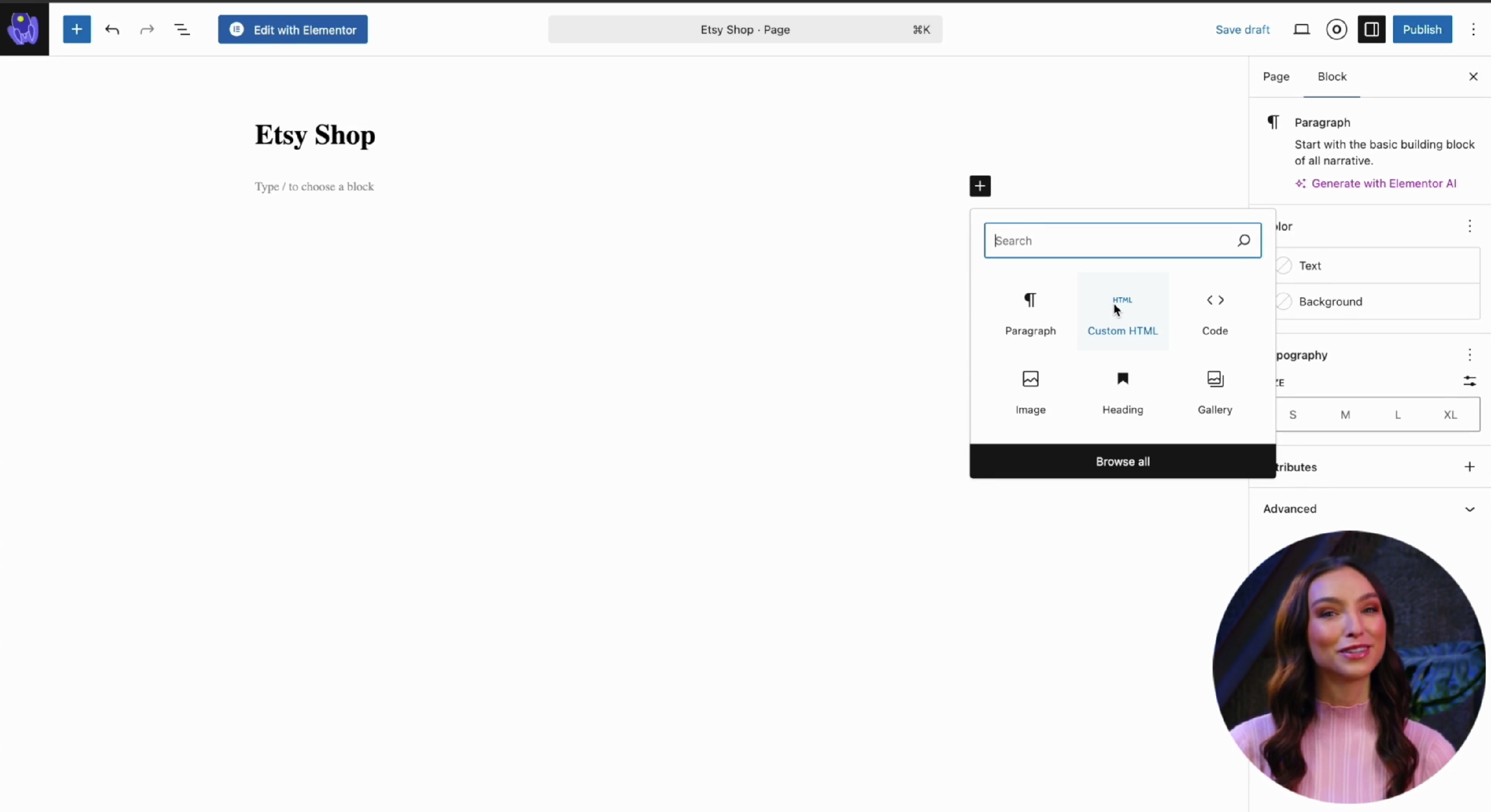
- Navigate back to Embed360 Etsy Embed dashboard
-
Scroll down the page and find and copy `<div id="listings"></div>`
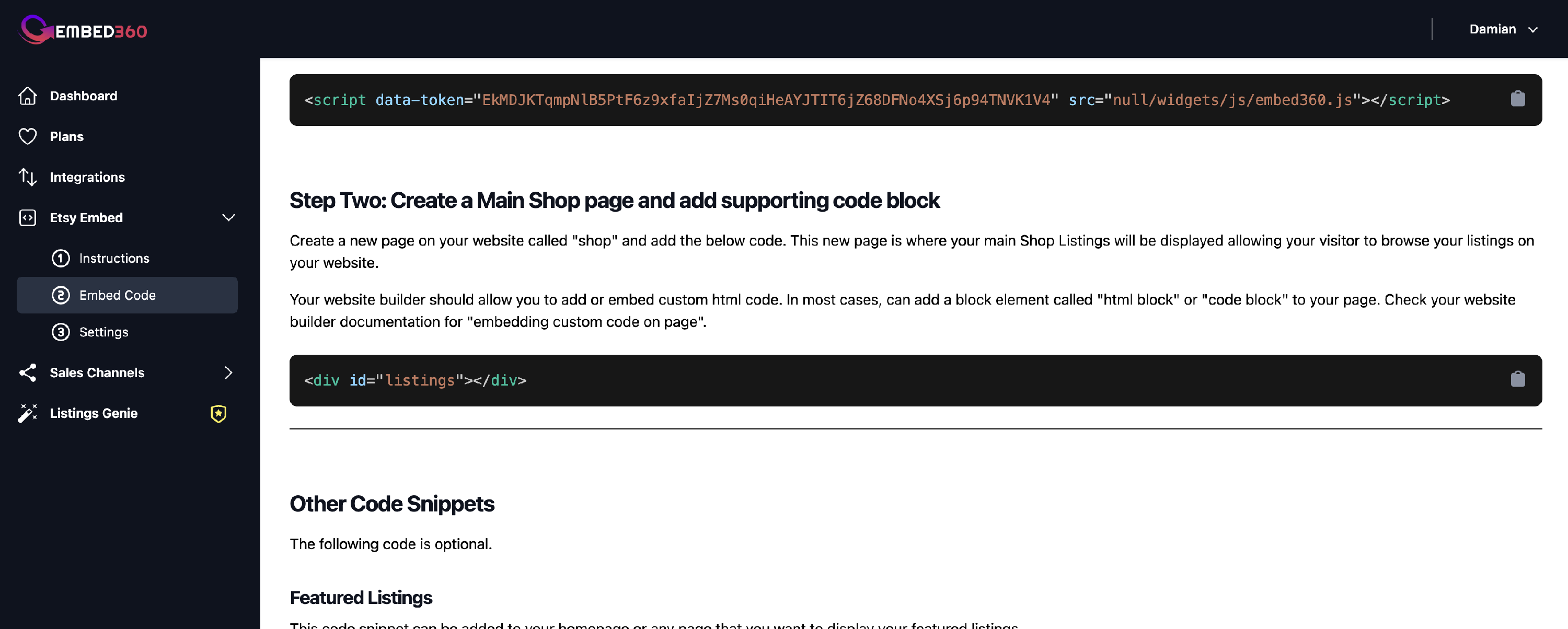
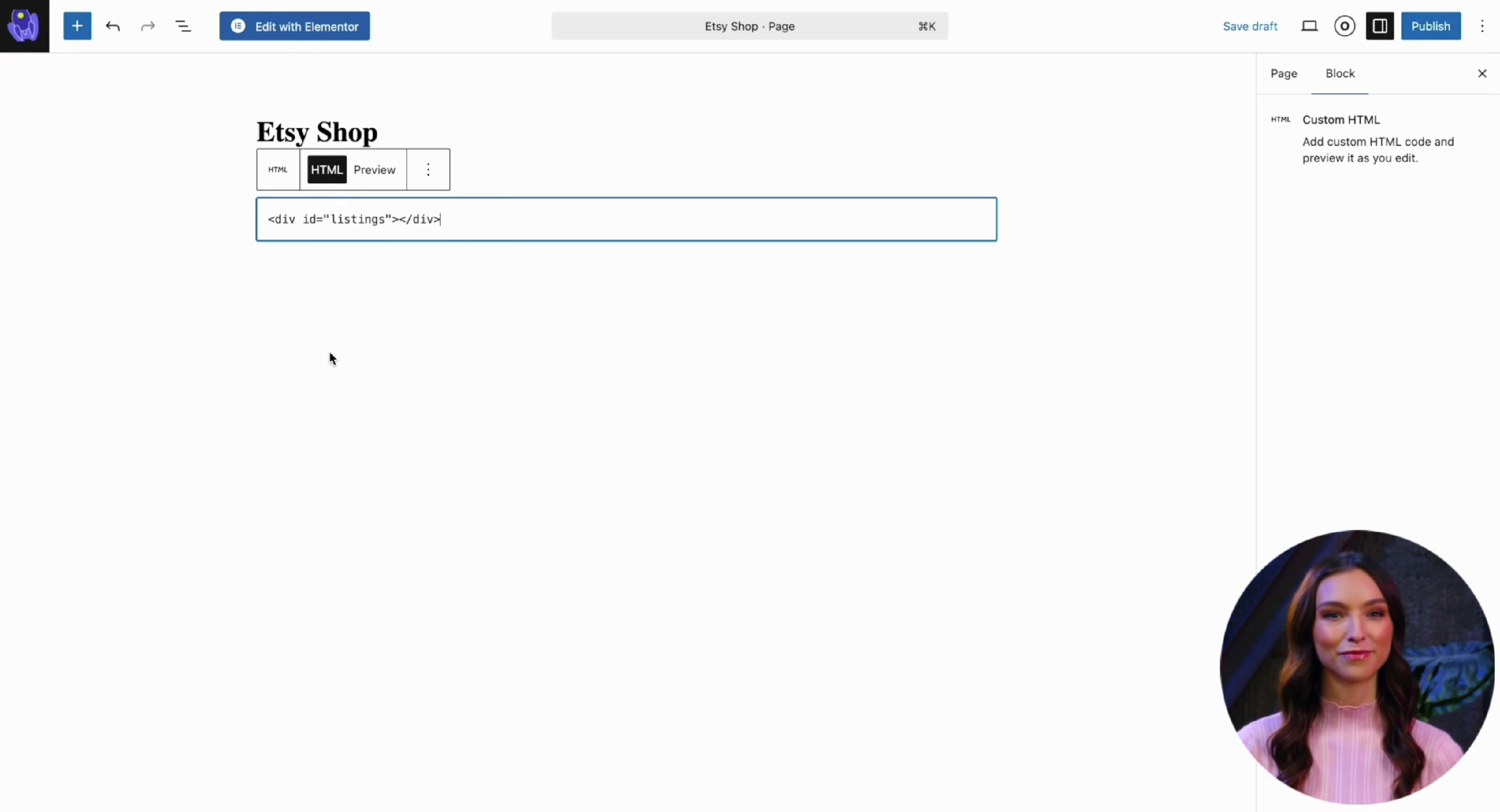
- Navigate back to your newly created page and paste in your listings embed code
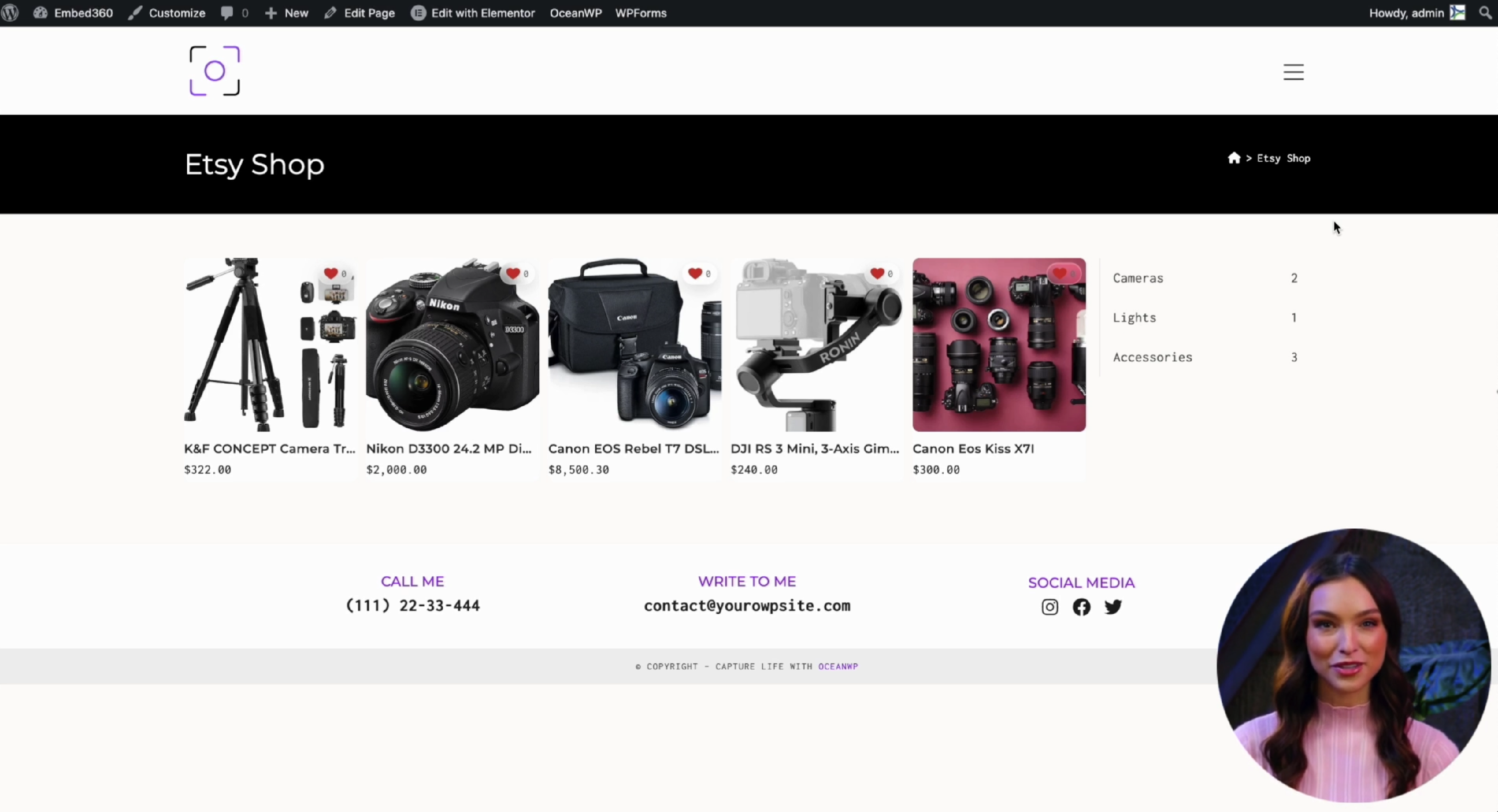
- Publish and Preview your page and you should see your listings appear
Option B: Elementor
- Create a new page called "shop". This can be called whatever you'd like.
- Click the Edit with Elementor.
- Search Elementor blocks for "html"
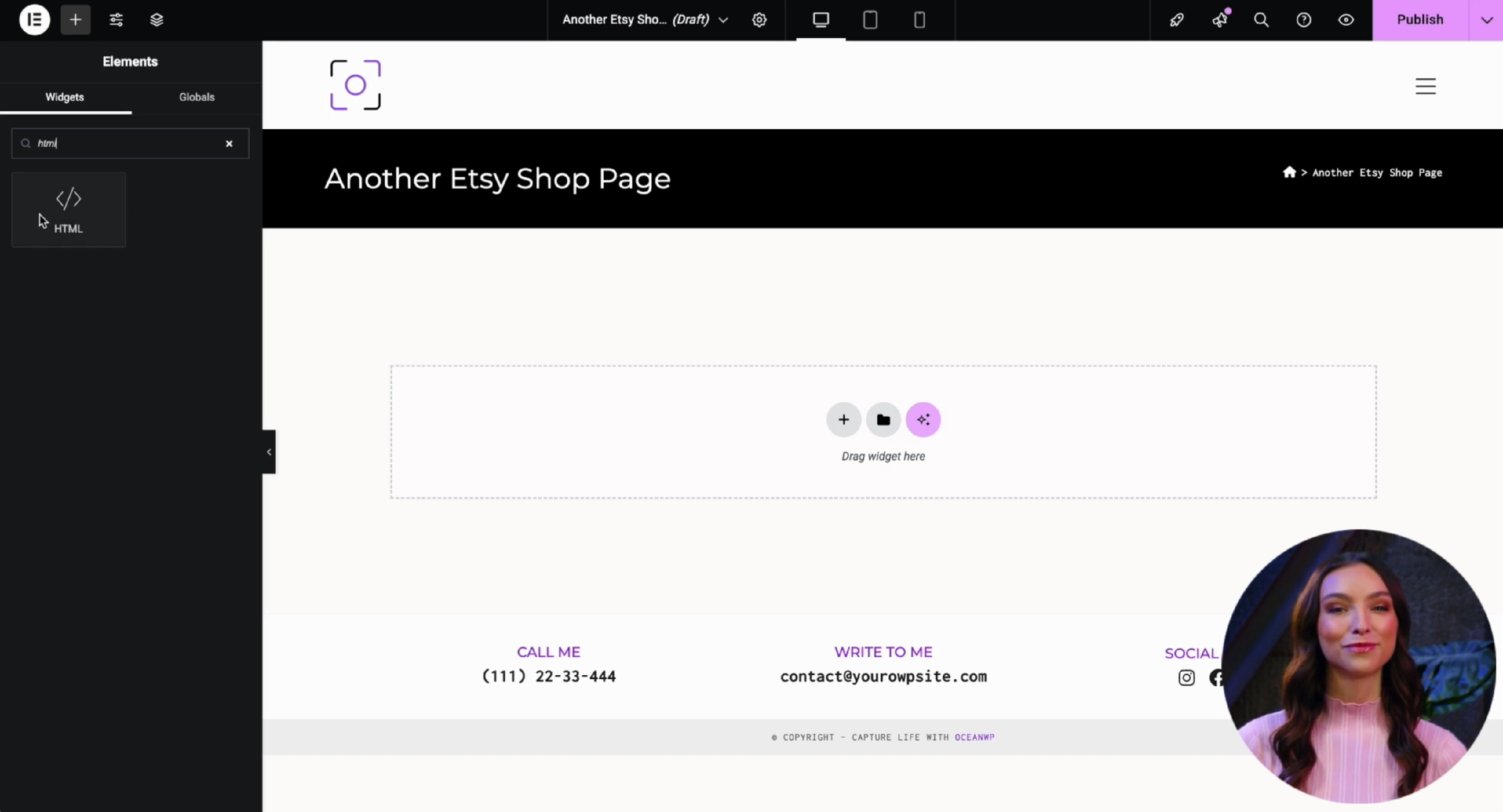
- Drag an HTML widget into the page layout.
-
Navigate back to Embed360 - Embed Code and find the listings embed code
-
Paste your listings embed code into the HTML Code block.
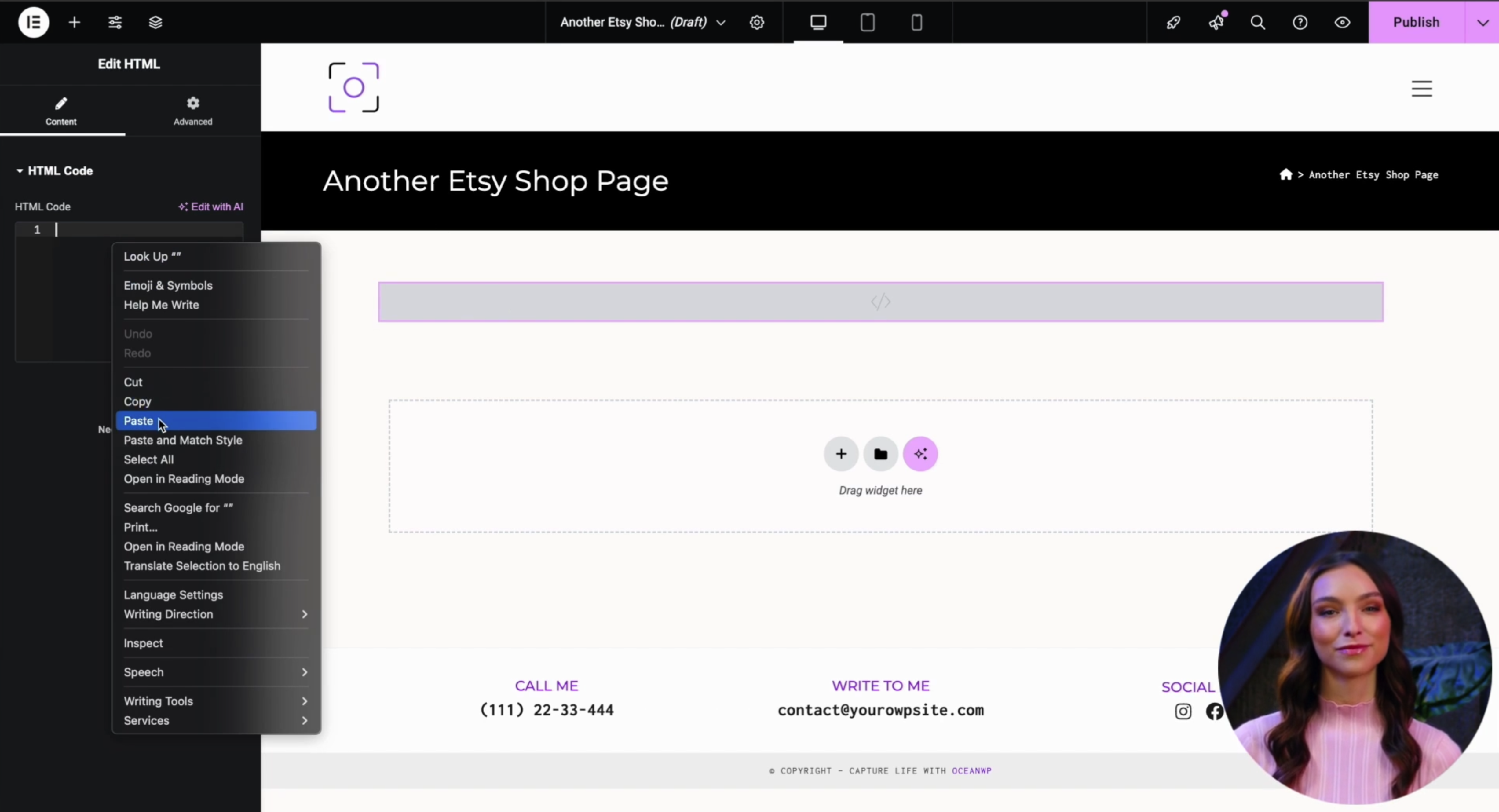
- Click Publish and Preview changes. You should see your listings show in on your new page
Troubleshooting
- Shop isn’t showing? Confirm you pasted the code into a Custom HTML area (not a Visual block).
- Still seeing old listings? Re-open Embed360 and click Re-import Listings, then refresh your page.
- Theme or cache issues? Clear your WordPress/cache plugin caches (and CDN if applicable), then reload.
- Security filters? Some security plugins block iframes/scripts. Whitelist Embed360 in that plugin’s settings.
- Multiple embeds on one page? Ensure each embed code is placed in its own HTML block/widget.